Edgecraft Guide
Edgecraft turns a poker table screenshot into a fully solved HRC simulation: upload a hand, get the solved tree back and read it in a browser viewer. This guide covers the whole journey — from registration to reading solutions.
Create Account
Registration
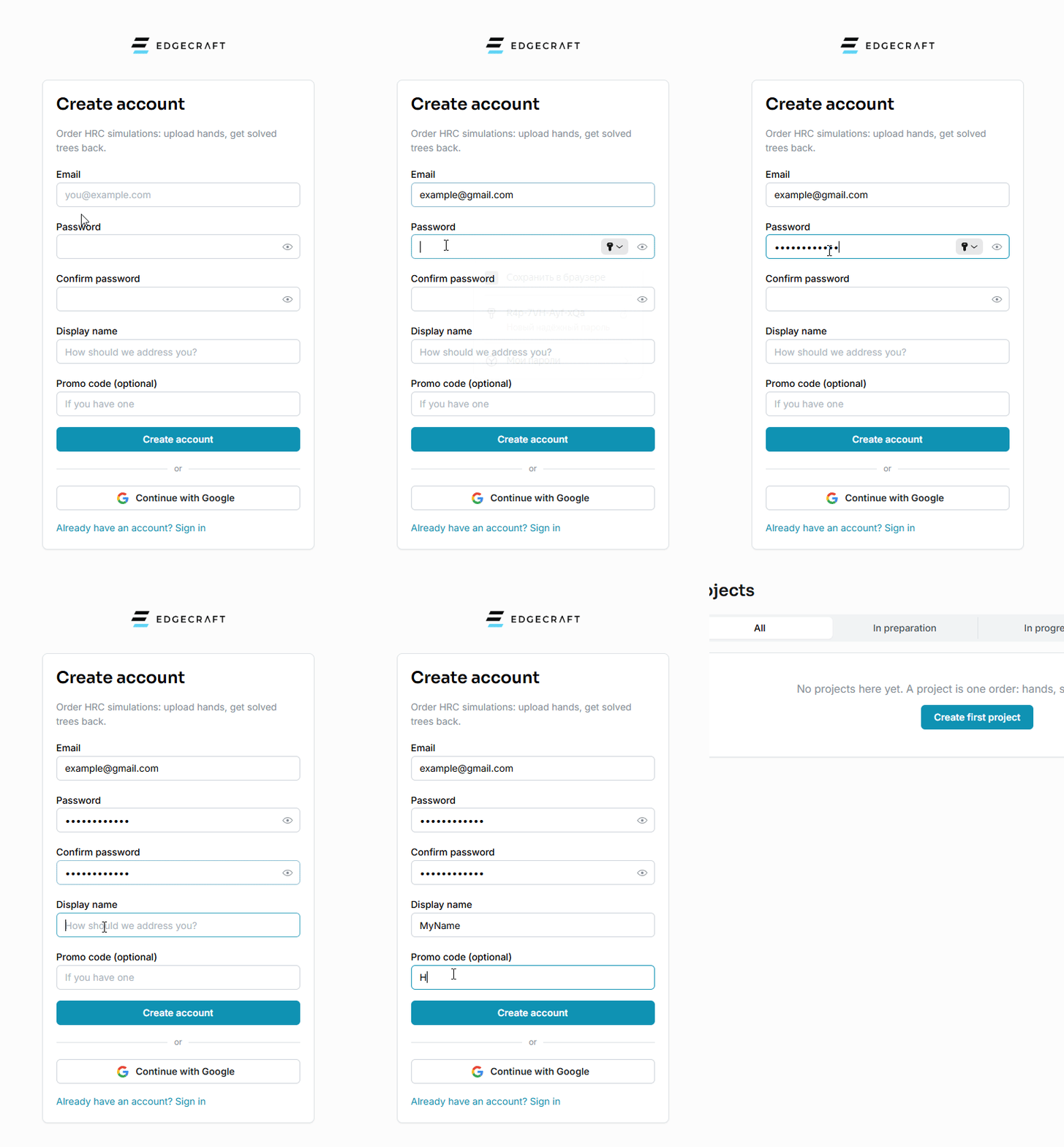
Click Sign up and register with your email and a password, or continue with Google.
Confirm the email we send you: accounts with an unverified address cannot submit orders. After that you land in your personal workspace with a small welcome bonus already on the balance, so you can look around before topping up.
If you want extra protection, enable two-factor authentication (2FA) in account settings. Google sign-in keeps working: after Google confirms who you are, we simply ask for the code from your authenticator app.
Workspaces
Workspaces
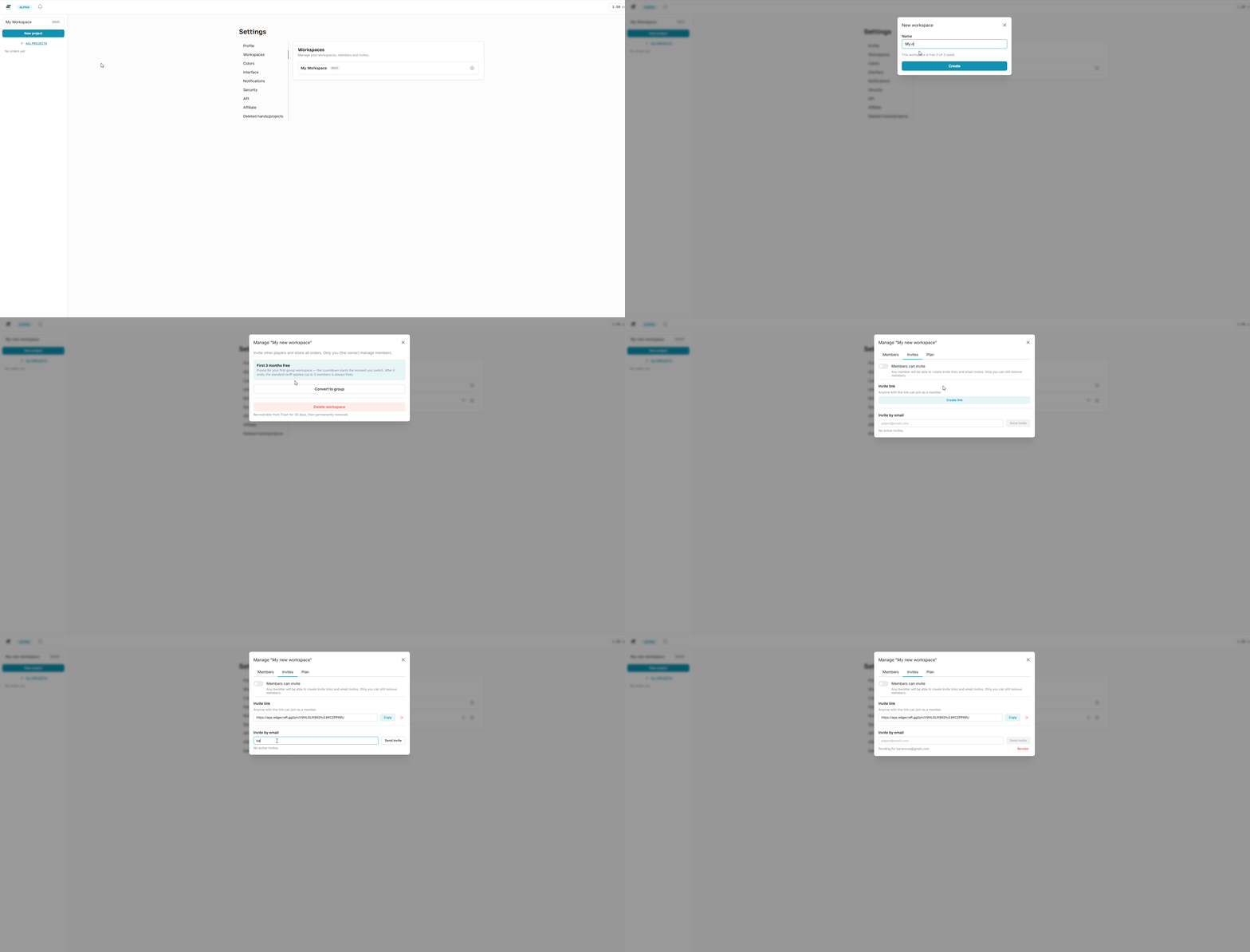
A workspace is where your orders live. Every workspace is private: only its members can see the hands. A link to a specific hand or order can be shared separately — whoever opens it will not see the rest of the workspace.
Everyone gets a personal workspace automatically, and for most players it is all they ever need. For teams there are group workspaces: create one and invite people by link or email.
Every member sees the shared orders, but each pays for their own submissions from their personal balance, so nobody spends someone else's money. You switch workspaces from the menu in the top bar. Orders and balances never mix.
Workspaces have their own pricing: up to 3 members — free, up to 7 members — 1 simmy/month, up to 30 — 3 simmy/month. The fee is charged to the workspace creator.
Projects
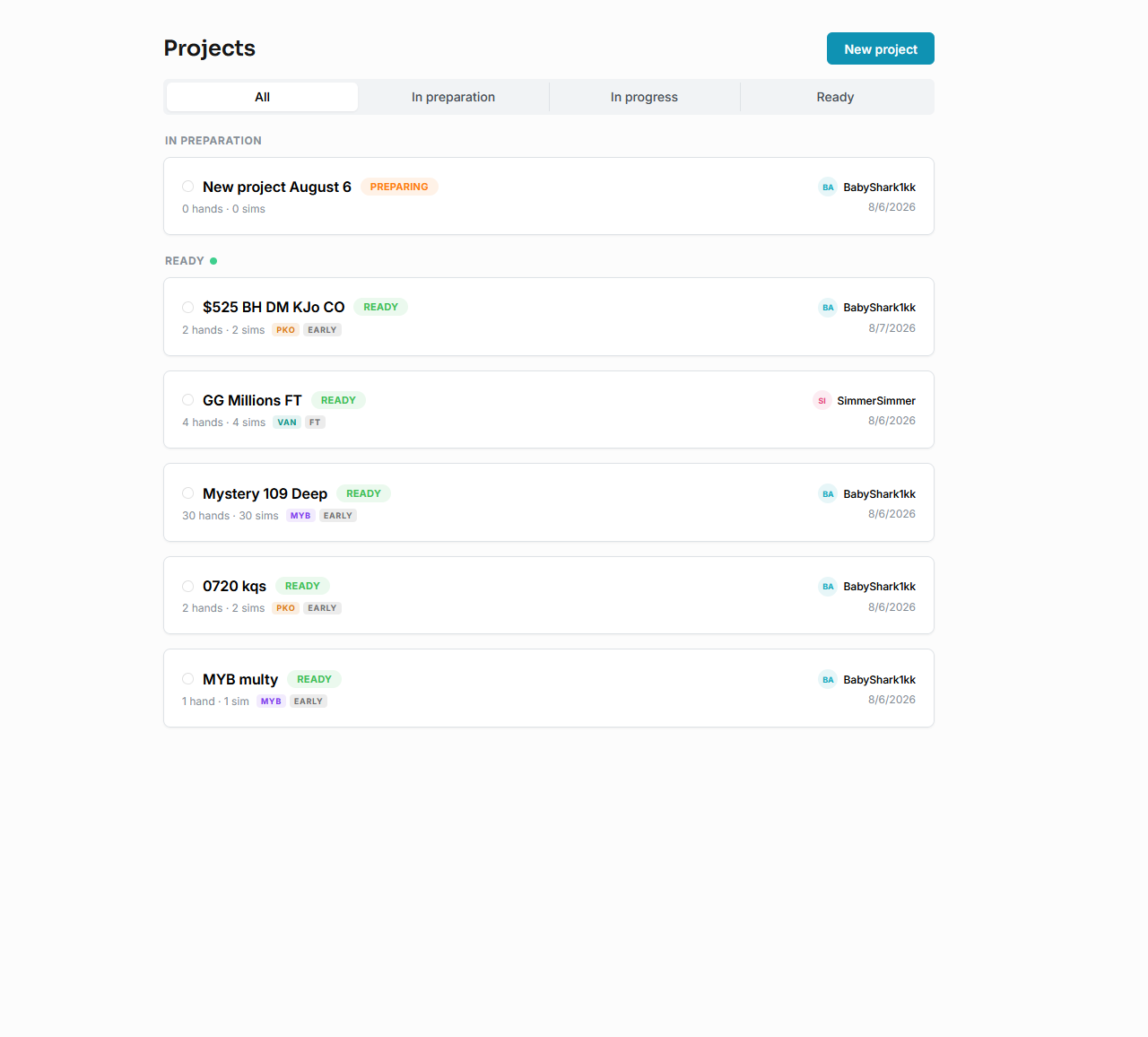
Project List
The home screen is your project list. Projects are split into delivered ones and those still in progress. A draft can be edited freely: nothing is charged until you actually submit it.
Deleting a project
Select a project, open its extra menu and press Delete Order.
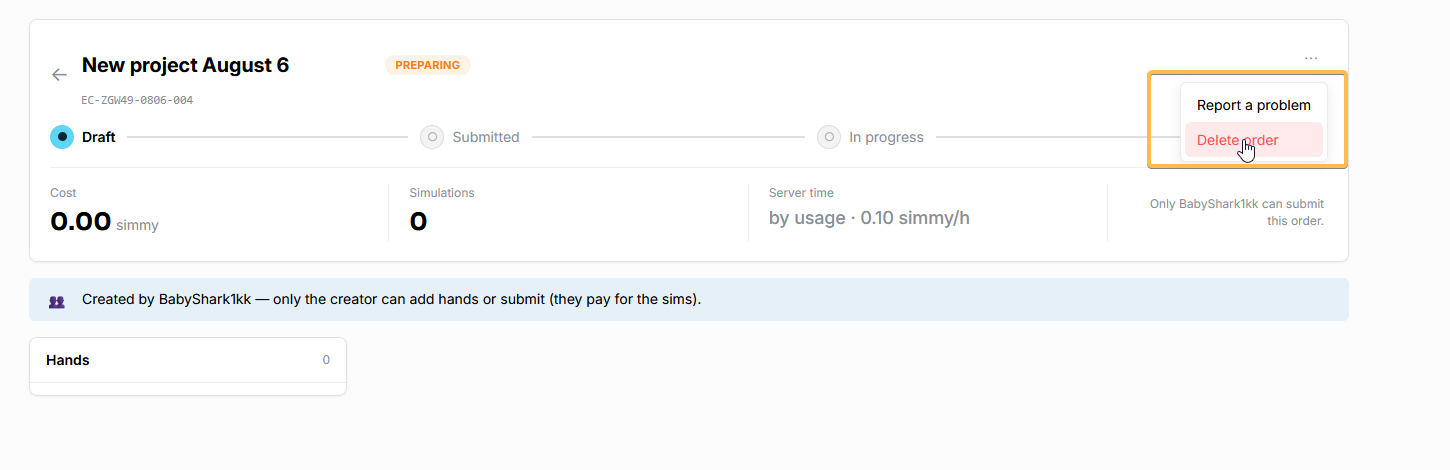
A deleted project stays in the trash for 30 days — you can restore it any time during that period.
New Project
1. Press New project.
1.1. Rename the project if you like.
2. Add hands with the New Hand button. For each hand upload a table screenshot (the only required file). When possible, also add a lobby screenshot (at least one per tournament) and a short task description if the request goes beyond the screenshot.
3. Press Submit and pay for the order — the exact total is shown before you confirm.
The order goes to work; if we need a clarification, you get a notification. After sending hands off for solving you can keep working and add new hands. When the order is delivered, you get a notification.
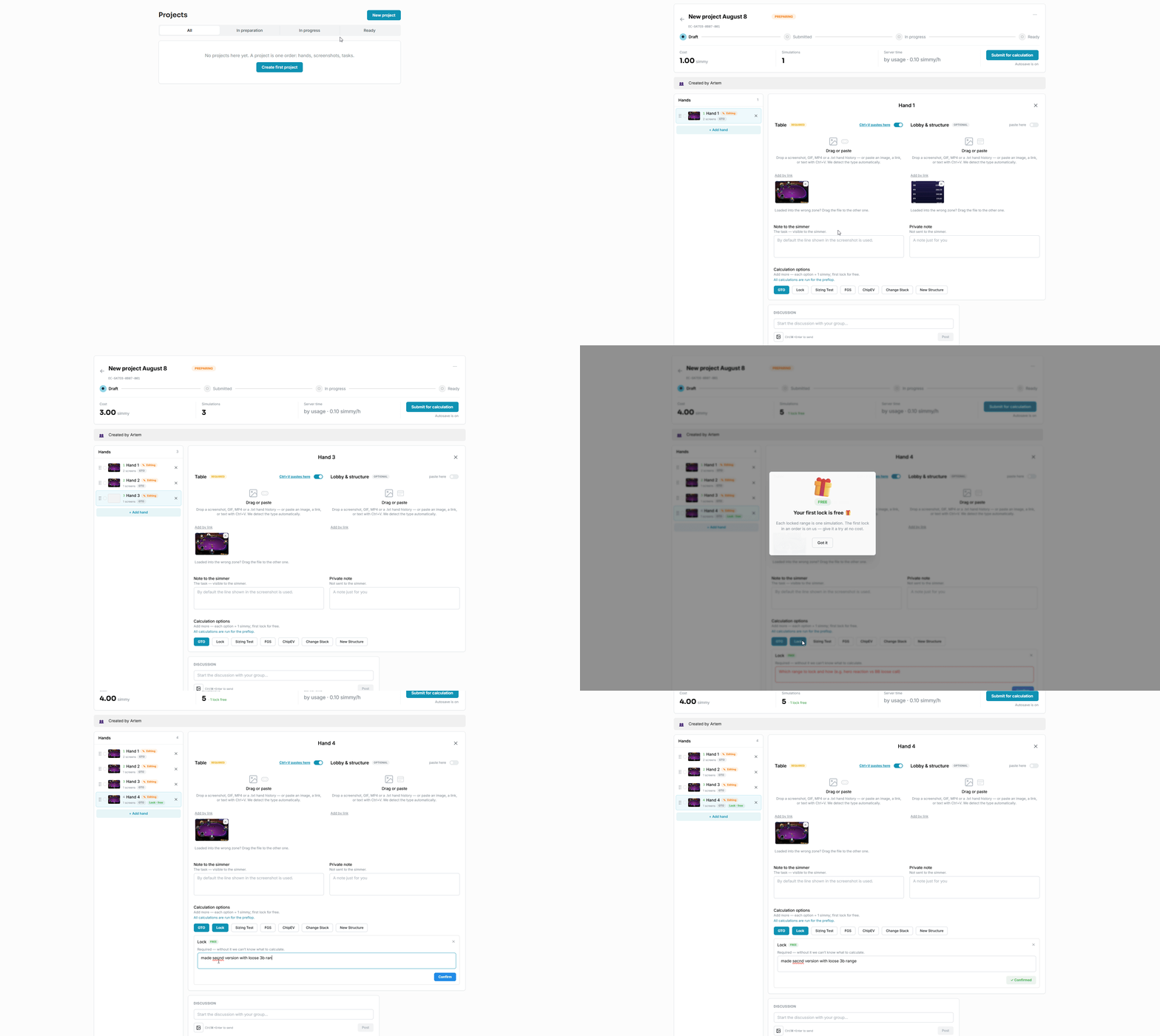
Hand forks
A fork is an extra version of the same hand with one condition changed.
Currently supported forks:
Lock — lock a branch (or several) to study the changed ranges. First lock is free, then 1 simmy per fork. A comment describing the lock is required (for example: BB loose 3b, our reaction).
Sizing Test — change or add a sizing in a branch (for example: BU 3b test 4;5;7;ai). First sizing test is free, then 1 simmy each.
FGS — add an FGS version for the final table. Put the desired FGS in the comment. Rough limits: 7–9-max — FGS1; 5–6-max — FGS2; 4-max — FGS4; 3-max — FGS6; the final limit depends on stack sizes. 1 simmy.
ChipEV — the same simulation in cEV format. 1 simmy.
Change Stack — the same simulation with changed stacks (for example: swap BU-BB stack). 1 simmy.
New Structure — solve the hand with a different payout structure (for example: use classic GGM payouts). 1 simmy.
Forks can be combined: pick FGS and write in the comment "FGS + Change Stack swap SB/BB". A combined fork costs the same as a single one — 1 simmy: the price is tied to the number of new trees that need a full re-solve.
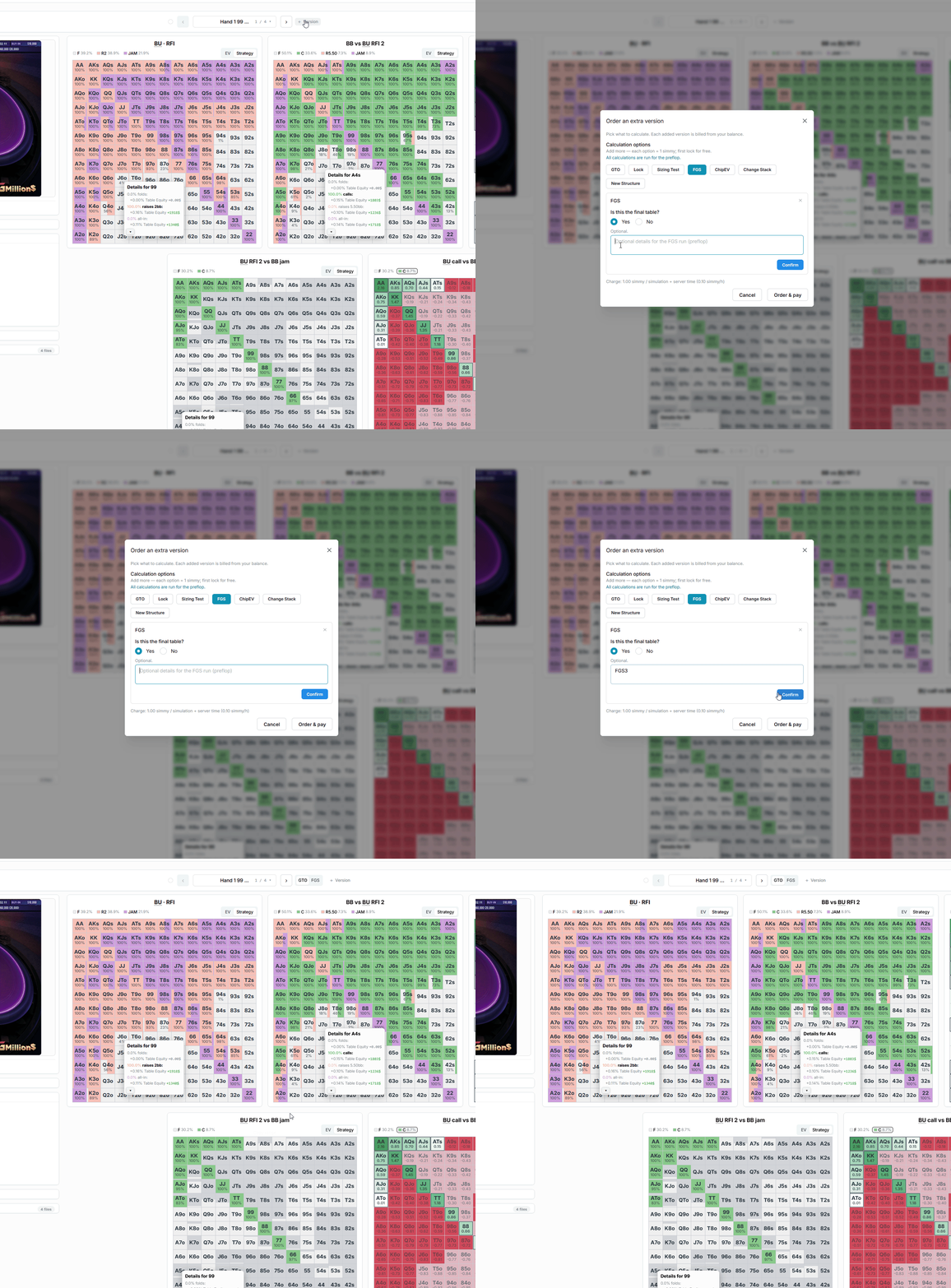
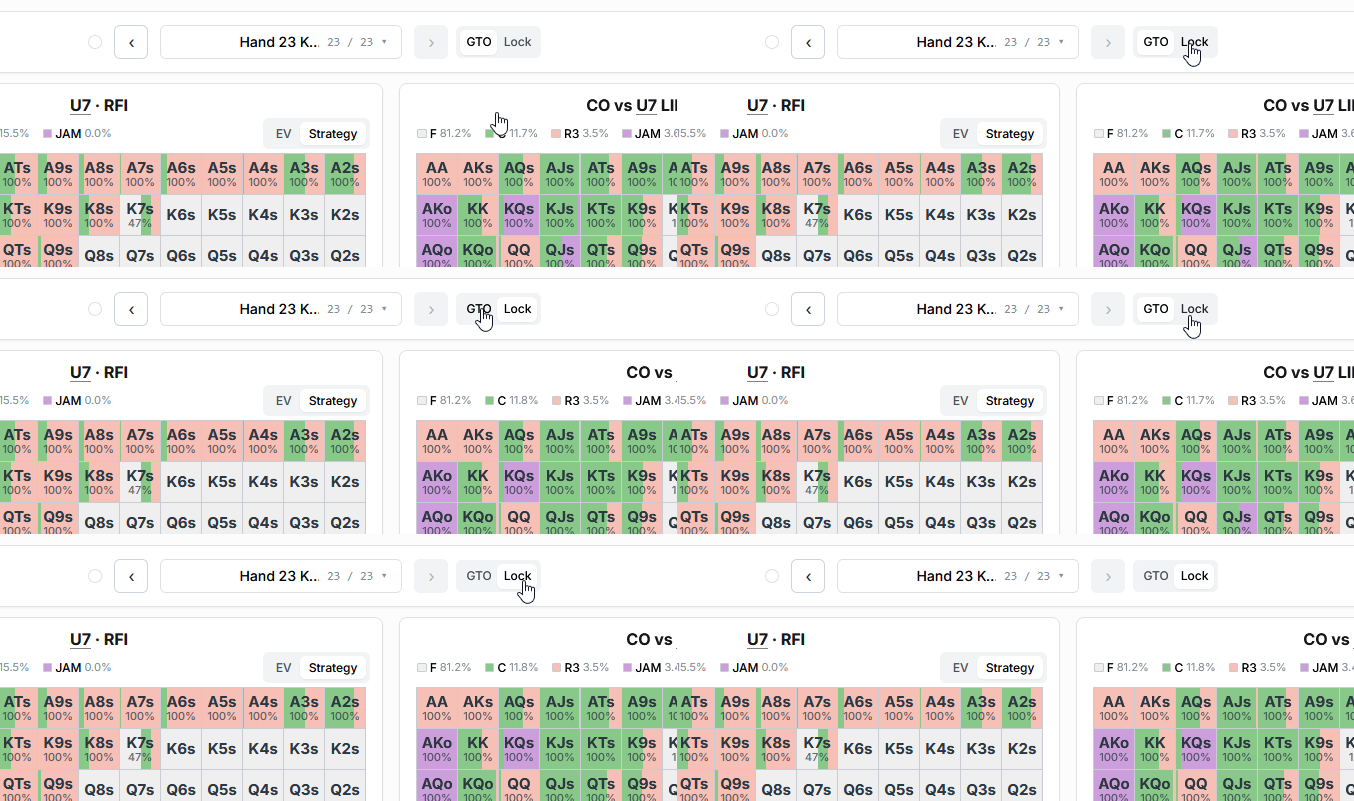
Delivered forks are switched right inside the hand:
Hand settings
Everything on your screenshots is carried into the simulation as fully as possible. The default solving configuration:
Abstractions: 1024-256-256 by default.
CI: chosen by position in the key branch and sub-branches (defaults: U9 — CI 20; U8 — CI 15; U7 — CI 10; LJ — CI 7; HJ — CI 5; CO — CI 4; BU — CI 3; SB — CI 2). Deep sub-branches (like BU R2 — BB 3B 5 — BU ?) are fully re-solved to high precision (CI 0.1–2).
Cold calls / overcalls / overlimps / postflop sizings: in the main branch where the action goes we aim for maximally complete parameters (all cold calls, overcalls and overlimps; donks and 1–3 sizings allowed postflop); side branches get limited cold calls/overcalls/overlimps and fewer postflop sizings.
Flexibility: the configuration adapts to tree size and key positions — in large trees early positions may get a higher CI with some limits on the number of cold calls/overcalls/overlimps, while in small trees CI can be lower with no betting restrictions.
Philosophy: we keep the main branch highly accurate without inflating server-time costs.
If you need a custom configuration, contact us: Telegram t.me/Edge_Craft or support@edgecraft.gg.
Easy and Pro view
Every hand has two views — Easy and Pro. Switching:

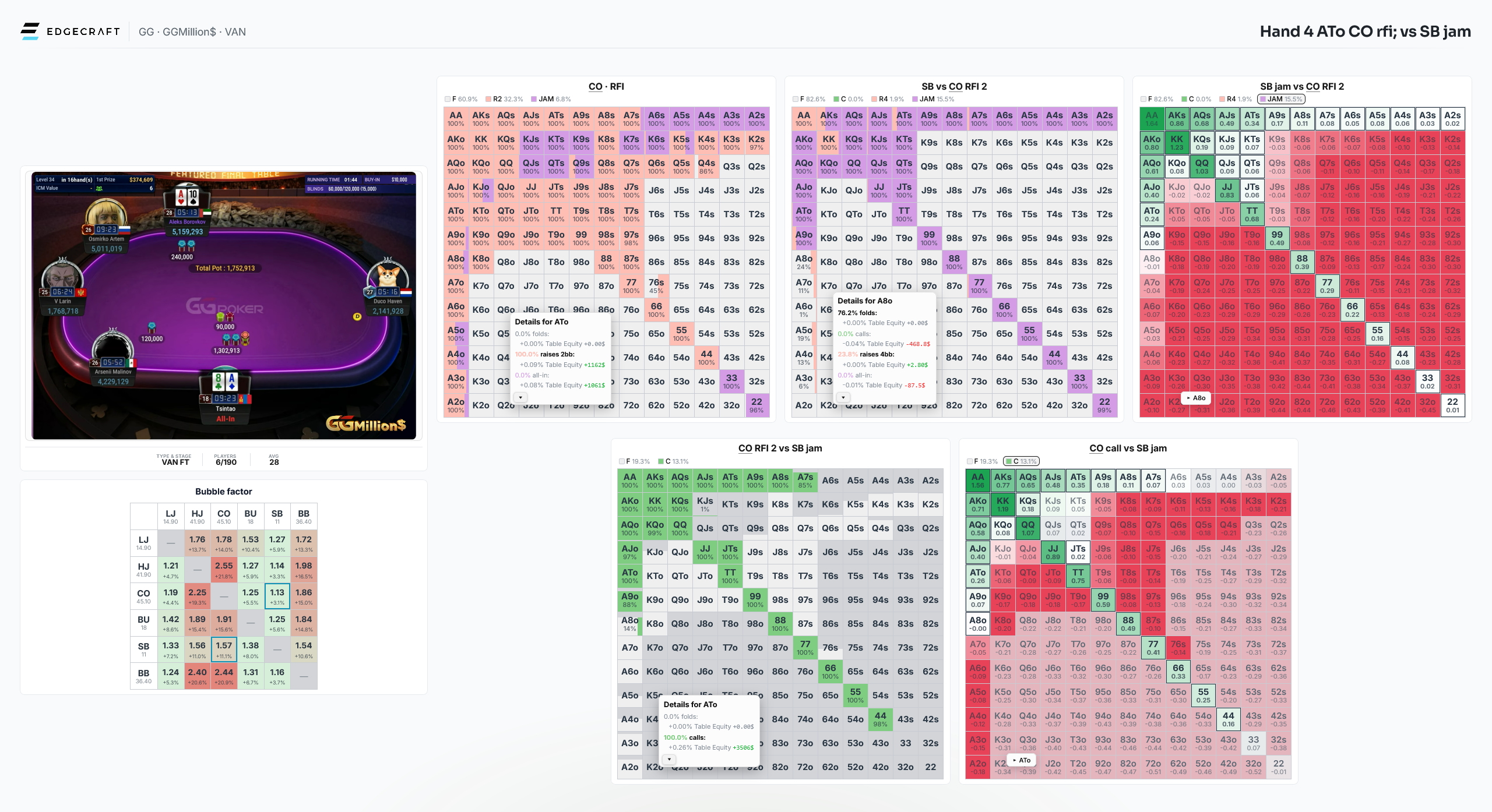
Pro shows the full picture: the action tree with navigation, range matrices, EV values and frequencies — everything for deep work.
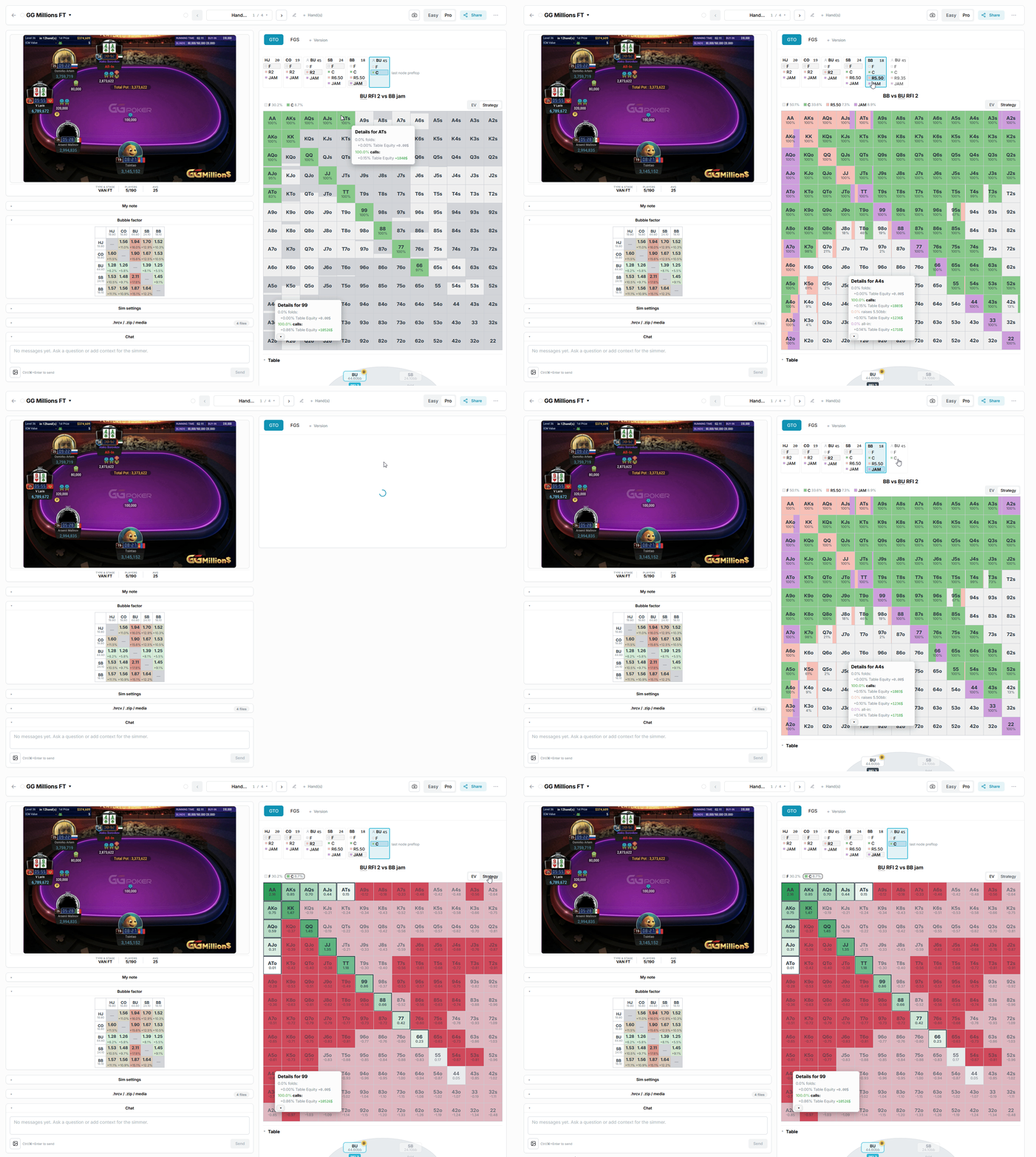
Easy (available on PC) shows the key spots of the hand on a single page, for a quick read.
Other fields of a hand:
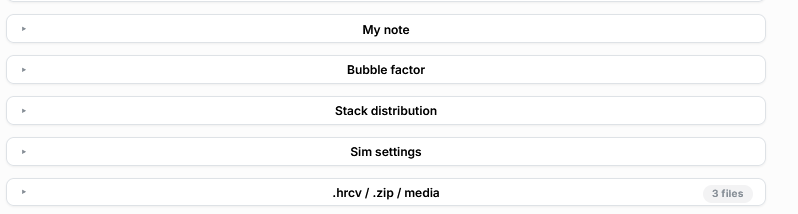
My note — a note that saves automatically.
Bubble Factor and Stack Distribution — Risk Premium values for an ICM hand and the stack distribution in MTT mode.
Sim settings — the parameters the simulation was built from (Payouts; Format; Tournament; Blinds; Stack and Players; ICM Rank; Stack / Stack Distribution; PKO size).
.hrcv .zip media — the original HRC files, your screenshots and the One Slide Solution of the hand.
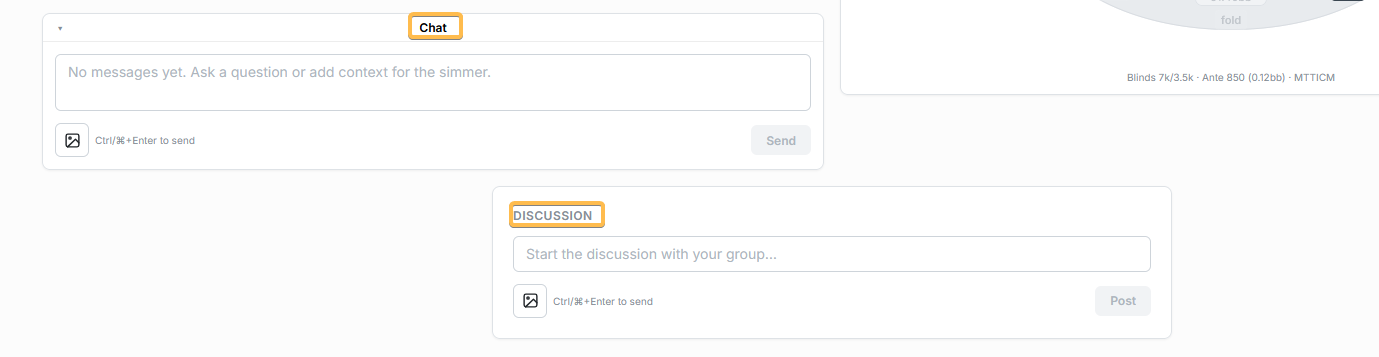
Chat — write a message to the simmer.
Discussion — in group workspaces every hand also has a discussion thread.
Hand sharing
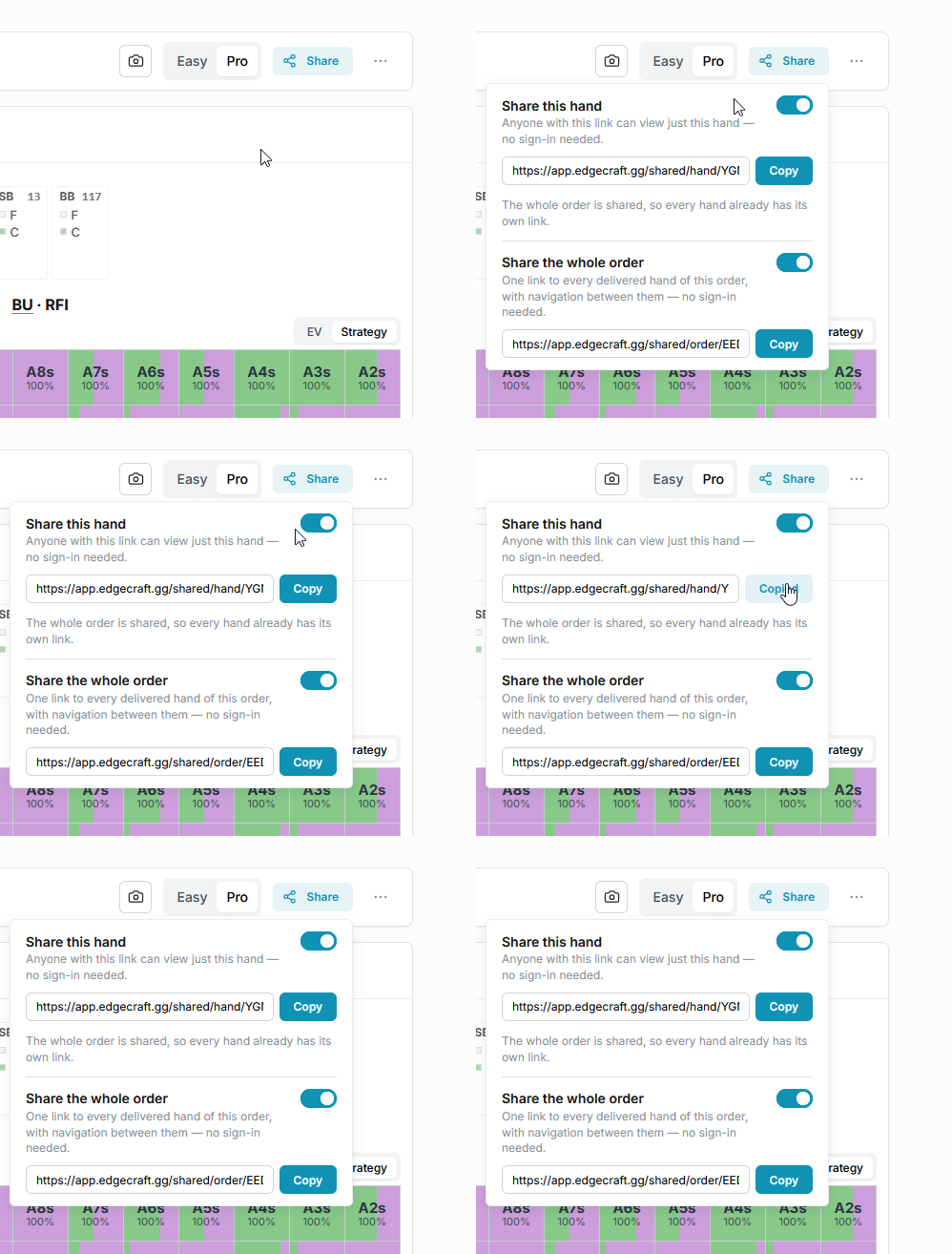
By default every hand is private, but you can share any of them and give access by link.
The link opens only that specific hand or order — the person will not see the rest of your workspace.
Feedback
Every hand has its own chat with the team — ask why a line is played, request a clarification or an extra version right there. We answer in the same chat, and the hand gets a NEW badge when we do.
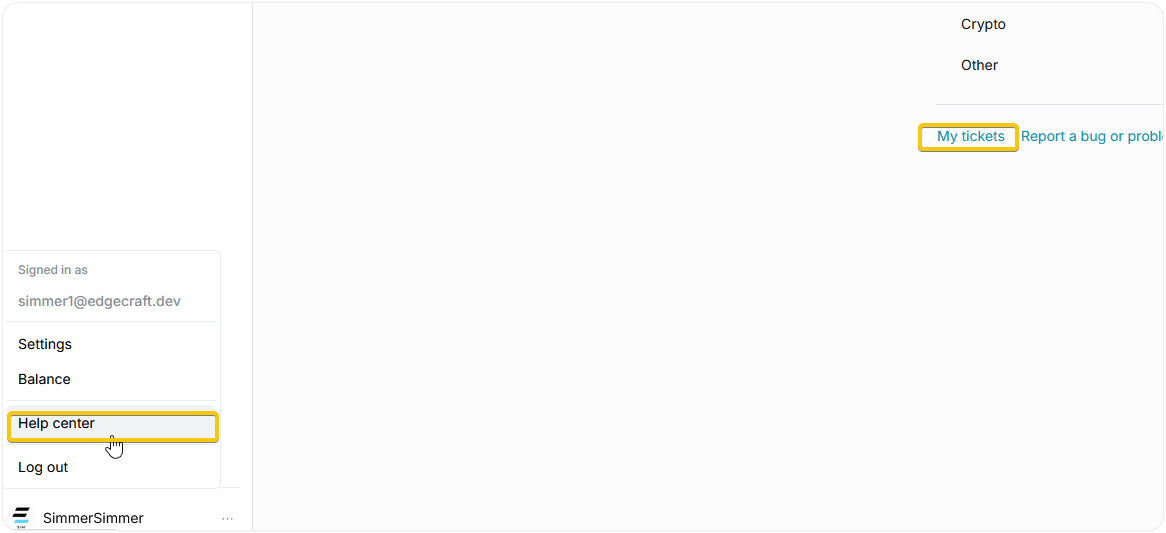
For anything not tied to a specific hand (billing, bugs, ideas) open a ticket: Help → My tickets. We are always glad to hear new feedback and ideas.
Simmy
What is simmy
Simmy is the internal balance you pay for simulations with. The simple rule: one simulation of one hand costs 1 simmy. Extra versions (forks): the first Lock and the first Sizing Test are free, the rest are billed like a regular simulation.
Server time is billed separately at 0.1 simmy/hour. An average simulation takes about an hour. The rate is quoted for AMD EPYC 9454P servers; weaker servers cost less and stronger ones more, in proportion to their power.
The average total for one simulation is about 1.1 simmy.
The exact total is always shown before submitting, and money leaves the balance only when you press Submit. Drafts are free. Server time is charged once the solve finishes; a server report is available on request.
Top-up simmy
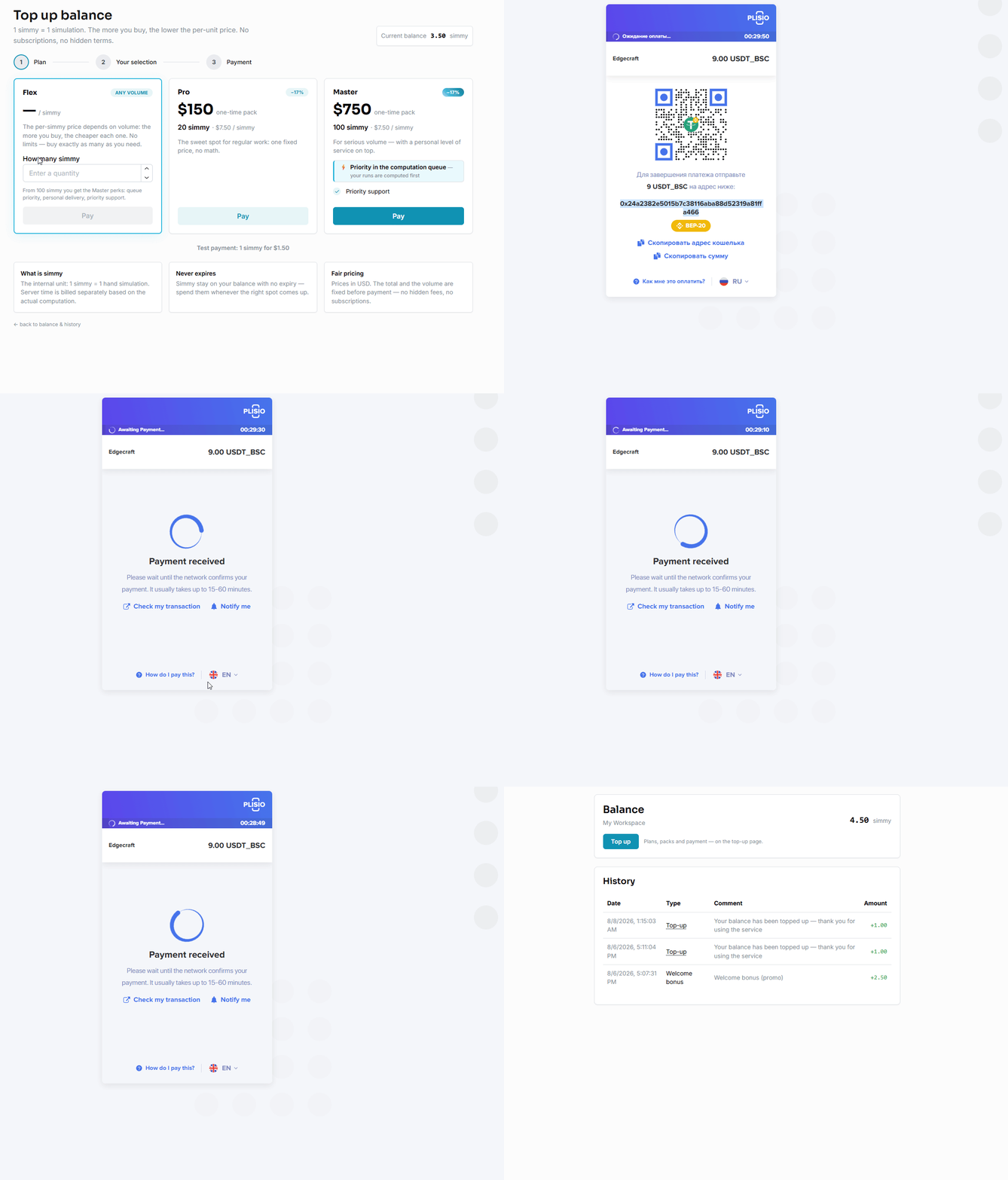
Go to Balance → Top up and pick a package; bigger ones come with perks such as bonus simmy and queue priority. You can also enter a custom amount.
Once the payment is confirmed, simmy land on the balance of your personal workspace and you are ready to submit. We accept crypto (see the next article); for cards and other methods, see Other.
If anything goes wrong with a payment, contact us: Telegram t.me/Edge_Craft or support@edgecraft.gg.
Top-up simmy
Crypto
We accept cryptocurrency through Plisio. Choose a coin at checkout and an invoice is created for that specific coin, with the exact amount and address.
Watch the network minimum: a transfer below it cannot be credited. If you are not sure which coin to pick, USDT (TRC-20) is usually the cheapest and fastest.
Other
If the method you need is not on the list (a card, a bank transfer, something local), open a ticket via Help → My tickets and tell us what works for you. We handle these one by one and usually find a way.
FAQ
Which formats do you cover?
Preflop Online & Live MTTs: VAN, PKO, MYB and SAT.
Do you work with postflop?
No. For postflop work you can use the .hrcv file that comes with every project.
Can I order additional versions of the hand — a node lock, for example?
Yes — you can order extra versions of the same hand: node locks, sizing tests, FGS, stack changes. The first node lock and the first sizing test are free.
Which servers do you use?
Typically AMD EPYC 9454P. This model is the baseline for server-time billing; on other models server time is scaled by performance.
How much server time does a hand usually take?
For a typical tree the average is about 1 hour. Billed by actual usage — 0.1 simmy per hour of compute. So a full simulation costs ~1.1 simmy on average.
How fast will I get my simulation?
Typically within 24 hours. During peak load — and for very large trees — the estimate can extend to 2–5 days. You always see the current turnaround before you submit.
What do I need to send?
A screenshot of the table, the lobby — and, if you like, a short note. We reconstruct stacks, payouts, bounties and the action — and only come back with questions if something genuinely needs clarifying.
What parameters are used in the simulations?
Abstractions: 1024-256-256 by default.
CI: chosen by position in the key branch and sub-branch (defaults: U9 — CI 20; U8 — CI 15; U7 — CI 10; LJ — CI 7; HJ — CI 5; CO — CI 4; BU — CI 3; SB — CI 2). Deep sub-branches (like BU R2 — BB 3B 5 — BU ?) are fully re-solved to high precision (CI 0.1–2).
Cold calls / overcalls / overlimps / postflop sizings: in the main branch where the action goes we aim for maximally complete parameters (all cold calls, overcalls and overlimps; donks and 1–3 sizings allowed postflop); side branches get limited cold calls/overcalls/overlimps and fewer postflop sizings.
Flexibility: the configuration adapts to tree size and key positions — in large trees early positions may get a higher CI with some limits on the number of cold calls/overcalls/overlimps, while in small trees CI can be lower with no betting restrictions.
Philosophy: we keep the main branch highly accurate without inflating server-time costs.
What exactly do I get back?
An interactive hand in your workspace: strategy and equity matrices, the action tree, bubble factors, Easy and Pro modes, one-slide presentation export and a share link. The original files (.hrcv / .zip) are stored right in the simulation.
Example — solved spots from a GGM final table featuring Aleksei Aurora and Artem Osmirko
What is a simmy?
Your balance unit: 1 simmy = 1 solved hand. Server compute time is metered separately at 0.1 simmy per hour actually used. The 1.5 simmy welcome bonus covers a full first simulation including typical server time.
Is my data confidential?
Yes — your data is confidential. Your hands are visible only to your workspace. Nothing is published unless you create a share link yourself, and you can revoke workspace seats at any time.